
Dash cam guides · 10/11/2026
Why Is My Dash Cam Footage Blurry at Night?
Blurry night dash cam footage can come from dirty glass, glare, focus, settings or motion. Work through these checks before replacing the camera.
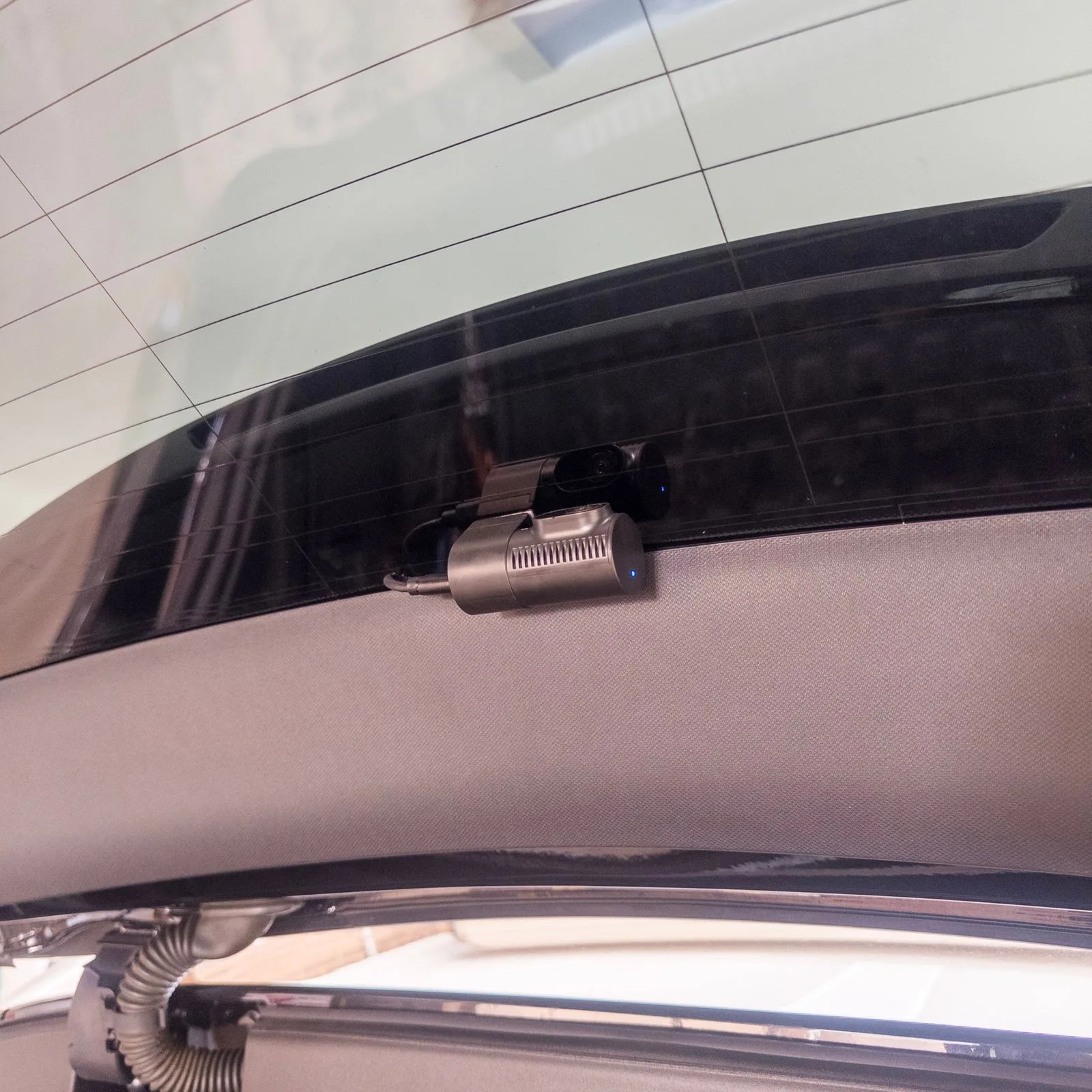
When dash cam footage is blurry at night, the camera is not always faulty. Dirty glass, reflections, lens film, poor alignment and the normal limits of fast-moving low-light video can all reduce detail.
Before replacing the unit, use a short checklist and compare clips from the same route. Melbourne streets around Sunshine, Point Cook and Richmond can produce very different footage under bright signs, wet roads and darker residential lighting.
Start with the simplest cause: glass and lens condition
Clean both sides of the windscreen around the camera. A light film that is barely visible during the day can scatter headlights at night.
Clean the camera lens with a suitable soft cloth. If the camera or replacement lens still has protective film attached, remove it carefully.
Check the rear window too
Rear footage can be affected by demister lines, tint, dust and reflections from the parcel shelf or cargo area. Make sure the lens sees through a clear section of glass and is not aimed into trim.
> Still getting glare or soft footage? Save a daytime and night sample, then contact SpeedSafe so the installation and camera behaviour can be assessed together.
Why night footage is harder
A dash cam must gather enough light while the car, other vehicles and number plates are moving. Slower exposure can brighten the image but increase motion blur; faster exposure can reduce blur but make the scene darker.
Some models use low-light processing. Thinkware describes its Super Night Vision as image-signal processing intended to improve visibility in low-light environments, but no setting can guarantee a readable plate in every speed, angle, weather and lighting condition.
Look for reflections inside the vehicle
Bright infotainment screens, ambient lights and pale dashboard surfaces can reflect in the windscreen. At night, review a clip with the cabin lighting reduced and compare it with your normal setup.
The camera position matters too. A lens pressed closer to the glass generally has less opportunity to record interior reflections than one mounted far back behind a large mirror housing.
Check alignment and settings
Use the live view while the car is parked safely. The road should dominate the frame, with only a modest amount of bonnet or sky.
Check resolution, exposure and night settings against the camera manufacturer's instructions. Do not change several settings at once; make one change, record the same route and compare the original file on a larger screen.
Review the original file, not a message-app copy
Messaging and social apps may compress video. Remove the memory card safely or use the official app to transfer the original clip.
Pause on a fixed sign as well as a moving vehicle. If every fixed object is soft in daylight and at night, the problem may be focus, a damaged lens or a poor-quality camera rather than night conditions alone.
When installation is the likely cause
Seek an installation check when the camera vibrates, points into trim, records a large reflection, loses power or has a rear cable that moves with the tailgate. SUVs and hatchbacks can need a revised rear-camera position if the view changes as the glass or trim moves.
You can compare SpeedSafe's installation services before deciding whether to reposition the existing unit or replace it.
Build a useful test set
Save four short clips: daylight, dusk, a lit main road and a darker street. Note whether the windscreen was wet and whether the footage came from the front or rear camera.
That evidence helps separate a cleaning or settings issue from a mounting or hardware problem. If you want the installation checked, book a SpeedSafe assessment.
Frequently asked questions
Can a dash cam always read number plates at night?
No. Distance, motion, headlight glare, weather, tint, lens condition and camera settings all affect whether a plate is readable in a particular frame.
What is the first fix for blurry night footage?
Clean the lens and glass, remove protective film, verify the original file on a larger screen and compare one manufacturer-supported setting change at a time.
.
Choose your installation
Compare your setup and choose a workshop or mobile appointment.
Choose a booking location